Showing posts with label Android app. Show all posts
မိမိသိလုိေသာ Ooredoo ဖုန္းနံပါတ္၏ Bill လက္က်န္အခ်က္အလက္ ႏွင့္ IMEI သိရုံျဖင့္ ဖုန္းနံပါတ္တုိ႕ကုိေထာက္လွမ္းနုိင္ေသာ App
ပုသိမ္နည္းပညာ | 9:58 pm |
Android app
Phone Number သိ႐ံုနဲ႔ ေငြလက္က်န္၊ ဝယ္ယူထားတဲ့ Internet Package လက္က်န္ေတြကို ေထာက္လွမ္းႏိုင္ပါလိမ့္မယ္။ တစ္ဖက္ကဖုန္းထဲမွာ ဒီ App ရွိေနစရာမလိုပါဘူး။ တစ္ဖက္ကဖုန္းက Keypad ျဖစ္ေနရင္ေတာင္မွ ေထာက္လွမ္းႏိုင္ပါလိမ့္မယ္။” လုိ႕ေျပာဆုိထားပါတယ္။
ဒီ app ကုိအသုံးျပဳျပီး Track လုပ္ဖို႔ Internet Connection လိုမွာျဖစ္ျပီး စမ္းသပ္ခ်ိန္မွာ Ooredoo ဖုန္းအင္တာနက္နဲ႕မဟုတ္ဘဲ အျခားအင္တာနက္လုိင္းတစ္ခုခုျဖင့္ စမ္းသပ္ရန္လည္း အၾကံျပဳထားပါတယ္။ ။အခ်က္အလက္ေတြကို Ooredoo Server ကေနရယူထားတယ္လုိ႕ဆုိပါတယ္။ လံုၿခံဳေရးစမ္းသပ္ခ်က္တစ္ခုသာျဖစ္ၿပီး အျခားရည္ရြယ္ခ်က္မရွိပါေၾကာင္းကုိလည္း Developer ကုိေက်ာ္စြာသြင္က ေျပာၾကားခဲ့ပါတယ္။
Ooredoo Tracker app ျဖင့္စမ္းသပ္အသုံးျပဳလုိၾကတယ္ဆုိရင္ေတာ့ ေအာက္မွာေဒါင္းၿပီး အသံုးျပဳႏိုင္ပါၿပီ
မူရင္းေေရသားသးကို Credit ေပးပါတယ္ဗ်ာ
Unknown user How to Download
www.patheinit.com
Payephyokyaw
Android app,
ၾကည့္ထားေသာဦးေရ>>
{[['
']]}
ပုသိမ္နည္းပညာ | 10:22 pm |
Android app

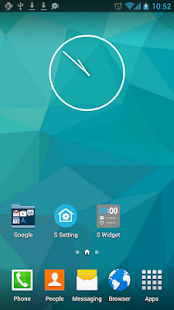
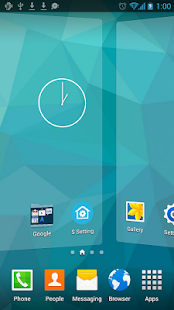
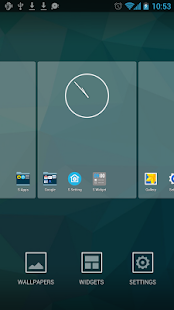
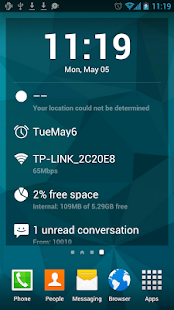
Samsung Galaxy S6 Launcher ဒီဇိုင္းေလး ဖုန္းမွာလန္းႏိုင္မယ့္ - S Launcher v3.94 Apk ေလးပါ ေဘာ္ဒါေတြ လိုအပ္မယ္ထင္လို႔ တင္ေပးလိုက္ပါတယ္ဗ်ာ အဆင္ေျပပါေစ (ပုသိမ္နည္းပညာ)
S Launcher Prime (Galaxy S6 Launcher) v3.94 Apk | 2.5 MB | Resumable Links | Requires Android: 4.0 and up |
S Launcher, is the most polished, highly customizable Galaxy S5 style (TouchWiz style) launcher!
S Launcher Prime (Galaxy S6 Launcher)
What’s in this version :
- Hide icon of “S launcher is running” from the notification bar
- Fix SMS is not adapted on Nexus devices
- Fixed crash bugs
App Review:
S Launcher, is the most polished, highly customizable Galaxy S5 style (TouchWiz style) launcher, Smooth, Rich features, NO AD
Features:
- Support icon theme, compatible with themes for nova launcher, adw launcher, go launcher, apex launcher, etc
- Translucent status bar and navigation bar (Android4.4 devices, and Galaxy S4, Galaxy Note2/3, Tab2/3 ,etc )
- Support edit icon
- Galaxy S5 TouchWiz Launcher scrolling effect
- Menu options in app drawer, support drawer app sorting
- Resize any widget
- Backup and restore launcher setting and layout
- Import layout from other launcher
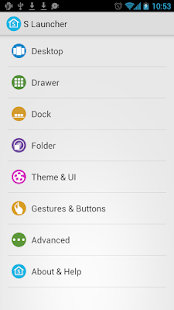
- Highly customizable, MANY options:
- Launcher Desktop:
- Set desktop grid
- Set icon text size, color; hide icon text
- Lock launcher desktop option
- Hide search bar, status bar
- Hide shadow, indicator
- Infinite scrolling
- Set launcher default Home Screen to Left, Middle or Right
- Wallpaper scrolling
- Theme support: such as Galaxy, iOS 7, Win 8 iconpack
- Launcher Dock:
- Multi Dock pages
- Number of Dock icons
- Hide Dock
- Drawer icon position setting
- Launcher Drawer :
- Set launcher drawer grid
- Set icon text size, color; hide icon text
- Reset drawer position
- Background transparent
- Launcher Folder :
- Galaxy S5 Launcher folder with 2×3 grid
- Max rows and columns
- Folder background option
- Folder preview style
- Icon label size/color option for folder apps
Unknown user How to Download
www.patheinit.com
Payephyokyaw
Android app,
ၾကည့္ထားေသာဦးေရ>>
{[['
']]}
ပုသိမ္နည္းပညာ | 12:10 am |
Android app
Keyboard အလန္းစားေလးပါ multi-language သံုးႏိုင္ၿပီး ဒီဇိုင္း အလန္းစားေလးပါ ေဘာ္ဒါေတြ အႀကိဳက္ ေတြတယ္ဆိုရင္ေတာ့ေအာက္မွာေဒါင္းည႔ီးလန္းႏိုင္ပါၿပီ (ပုသိမ္နည္းပညာ)
Flash keyboard is a fast Android keyboard with multi-language support. It provides massive skins,emoticons, emoji,stickers,and you could even make your own unique sticker to make your typing experience more fun! Get it now and see by yourself!
Features
Enjoy with 400+ Emojis,smileys.
Emojis and smileys are adaptable to all social apps, and they will auto change into simple patterns when tying in text boxes.
Massive free stickers.
Download your favorite sets, then you could find them in your keyboard.
Customize photos into stickers.
Isn’t that amazing to make your own photos into stickers?We Provides free templates for you to enjoy the fun of making GIFs by yourself,and will add more templates in the future.
Fancy keyboard skins.
Change themes for free which we will constantly provide.
Auto-corrections and Word Suggestions.
No worries about spelling mistakes,we are here to make typing smarter.we also support Word completion suggestions, and next-word prediction.
Privacy
Flash keyboard values your privacy. We don’t collect any personal data without your explicit permission.
The warning message that says Flash may be able to collect all the text you type, including personal data like passwords and credit card number, is part of the Android operating system that appears when any third party keyboard is enabled. Rest assured to use Flash keyboard. 😀
Size : 19M
Current Version : 1.0.20
Requires Android : 4.0 and up
Offered By : DotC United
Unknown user How to Download
www.patheinit.com
Payephyokyaw
Android app,
ၾကည့္ထားေသာဦးေရ>>
{[['
']]}
ပုသိမ္နည္းပညာ | 9:23 pm |
Android app

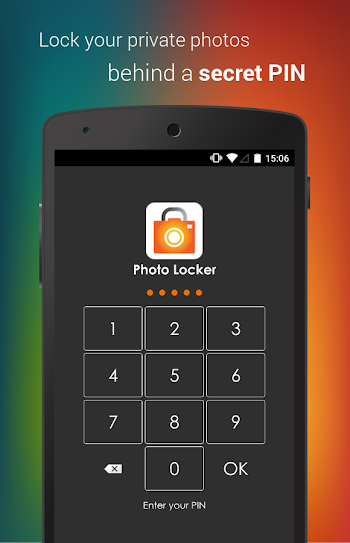
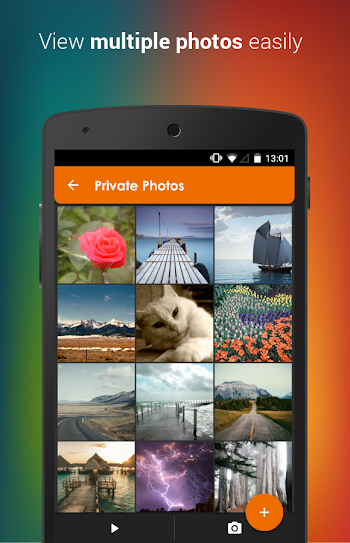
ဖုန္းမွာသူမ်ားကို မျမင္ေစခ်င္တဲ့ပံုေတြကို lock ခတ္ သိမ္းထားႏိုင္တဲ့ - Photo Locker Pro v1.2.1 Apk ေကာင္းေလးပါ အသံုးလိုတဲ့ေဘာ္ဒါေတြေအာက္မွာေဒါင္းၿပီးလန္းႏိုင္ပါၿပီ (ပုသိမ္နည္းပညာ)
Photo Locker Pro v1.2.1 Apk | 9 MB | Resumable Links |
Requires :Android varies with device |
Photo Locker Pro v1.2.1 Apk | 9 MB | Resumable Links |
Requires :Android varies with device |
Hide pictures securely and conveniently in Photo Locker Pro! – The ultimate app for hiding pictures on Android!
Photo Locker Pro
What’s in this version :- Security upgrade patch
App review:
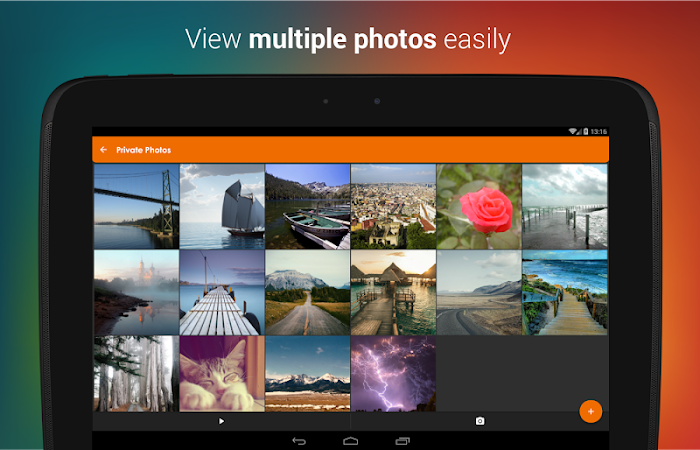
Photos from your Android gallery can be safely locked away inside Photo Locker and accessible only via a secret PIN code.
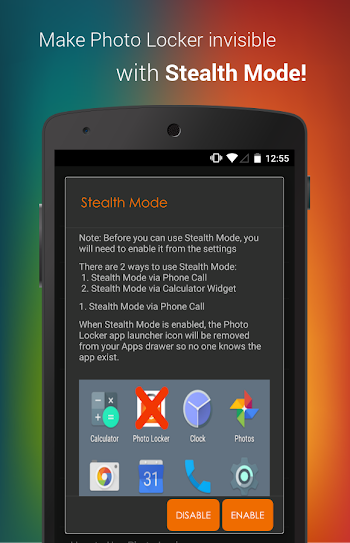
Additionally, with Stealth Mode turned on, the app can be made invisible and accessible only by dialing your PIN code.
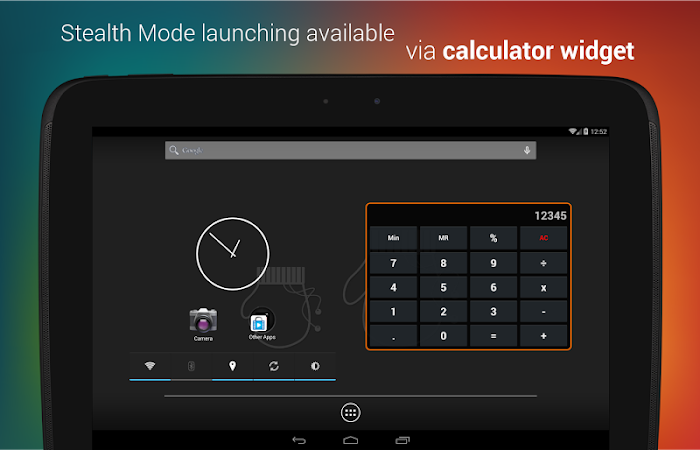
Also, with Stealth Mode enabled, you can access Photo Locker Pro via a
Calculator widget. Key in your PIN code using the calculator widget and
tap on the number display to access the app! This is useful if you wish
to enable Stealth Mode for Photo Locker Pro on a tablet (which has no
calling capability).Additionally, with Stealth Mode turned on, the app can be made invisible and accessible only by dialing your PIN code.
Features:
- Encryption – hidden photos are not only moved to a secret location but are also encrypted using advanced 128bit AES encryption. This means that even if someone manage to steal your SD card and copy the image files, they will still be unable to view the photos
- User friendly operation – Easily hide photos via default gallery or from within Photo Locker itself.
- Bulk hide – hide hundreds of photos at once
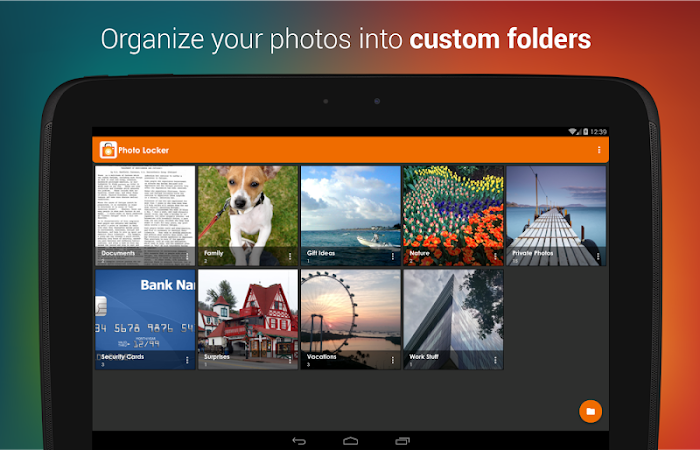
- Folder level locking – lock individual hidden albums
- Zoom in and out of hidden photos with multi-touch. Hidden photos maintain their original resolution and are not scaled down as in some other photo hiding apps.
- Rotate hidden pictures left and right
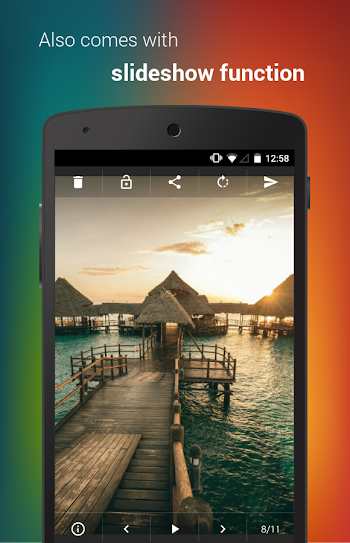
- Slideshow – Slideshow viewing mode available with customizable delay setting
- Removed from recent app list – Photo Locker App will not appear in ‘recent apps’ list
- Lock on sleep – If you forgot to exit the Photo Locker, the app will lockout as soon as your phone goes to sleep mode.
- Tablet optimized – Photo Locker’s UI has been designed with tablets in mind as well so as to provide the ultimate viewing pleasure on both Android smart phones and tablets
- PIN recovery – With the optional PIN recovery feature, you won’t lose your precious files even if you forgot your PIN code.
- Easy Un-hide – Un-hide photos just as easily as hiding them and you can decide where the un-hidden photos go.
**Device restart required for version 1.2.0 and above. Please email support for further assistance.**
*Photos are securely hidden in the device and not saved to any cloud program for user’s privacy*
* Do not delete .PL folder*
*Do not move app to SD card*
*Not recommended for devices on custom ROM*
*Devices running on Android 4.4 and above have restricted application access to SD card*
*Photos are securely hidden in the device and not saved to any cloud program for user’s privacy*
* Do not delete .PL folder*
*Do not move app to SD card*
*Not recommended for devices on custom ROM*
*Devices running on Android 4.4 and above have restricted application access to SD card*
Unknown user How to Download
www.patheinit.com
Payephyokyaw
Android app,
ၾကည့္ထားေသာဦးေရ>>
{[['
']]}
Anonymous | 11:45 pm |
Android app
License Android application ေတြကို License ျဖဳတ္တဲ့ေနရာမွာ အေကာင္းဆံုးေသာ Lucky Patcher ေလးပါ။
Free Download Link
Lucky Patcher 5.3.9 ApkDownload Now
အဆင္မေျပမႈတစ္စံုတစ္ရာ၊ ေ၀ဖန္ အႀကံျပဳမႈ တစ္စံုတစ္ရာ ရွိပါက Comment ျဖင့္ မွာခဲ့ႏုိင္ပါသည္။
အားလံုးကို ေက်းဇူးတင္ပါသည္။
Android app,
ၾကည့္ထားေသာဦးေရ>>
{[['
']]}
Anonymous | 11:05 pm |
Android app
Android ေပၚမွာ ဓါတ္ပံုေတြကို ဟာသပံုေတြအျဖစ္ ေျပာင္းလဲလုပ္ေဆာင္ႏုိင္မဲ့ Apk ေလးပါ။
အဆင္မေျပမႈတစ္စံုတစ္ရာ၊ ေ၀ဖန္ အႀကံျပဳမႈ တစ္စံုတစ္ရာ ရွိပါက Comment ျဖင့္ မွာခဲ့ႏုိင္ပါသည္။
အားလံုးကို ေက်းဇူးတင္ပါသည္။
Android app,
ၾကည့္ထားေသာဦးေရ>>
{[['
']]}
ပုသိမ္နည္းပညာ | 4:46 am |
Android app
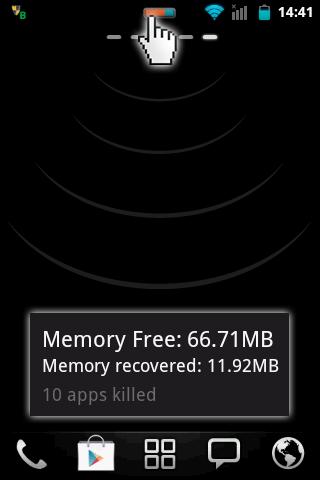
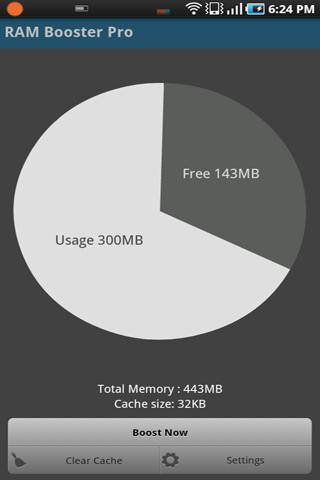
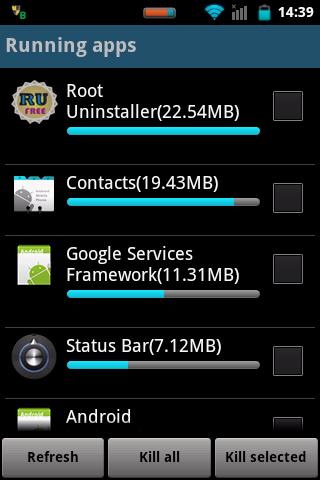
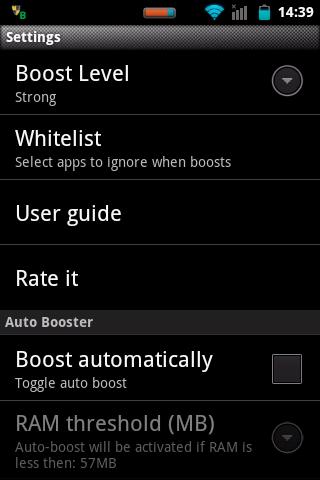
သင့္ဖုန္းေလးေနတာကို ျမန္ဆန္ေစမယ့္ - Smart Booster Pro v5.5 Apk ေကာင္းေလးပါ အသံုးျပဳပံုေလးကို ေအာက္မွာနမူနာျပထားပါတယ္ ေအာက္မွာေဒါင္းၿပီးသံုးလို႔ရပါၿပီ (ပုသိမ္နည္းပညာ)
Smart Booster Pro v5.5 Apk | 1.12 MB | Resumable Links | Requires Android:2.1 and up |
The most beautiful part of this app is a small, configurable widget that places on top of any app and one-click to RAM boost.
Smart Booster Pro
What’s in this version :- Compatible to Lollipop 5.1.1, 6.0
App Review:
Recommended by AddictiveTips.
Hotest Apps by AppBrain.
Most of Android devices bundle with
limited memory. Android task manager will selectively kill low priority
tasks in order to reserve memory to higher priority task. That’s not
always run at an appropriate time, causing low responsive apps, lagging,
especially when you launch a new app after heavily browsing web pages.
It causes a worse experience.
How RAM Booster works
RAM Booster is designed to overcome
these issues by selectively kill less important apps that are running in
the background but consumes considerable device’s memory.
RAM Booster comes with auto-boost in 4 levels: aggressive, strong, medium, gentle.
☆ Aggressive: kill most of low priority apps
☆ Strong: Kill apps that is low priority as well as consume lightly below an “average”
☆ Medium: kill apps that consumes memory above an “average”
☆ Gentle: kill only apps that uses considerable memory
☆ Strong: Kill apps that is low priority as well as consume lightly below an “average”
☆ Medium: kill apps that consumes memory above an “average”
☆ Gentle: kill only apps that uses considerable memory
“Average” is evaluated real-time based on running apps and change over time.
How to work RAM Booster
There are 5 ways to boost
☆ Auto-boost: boost automatically under RAM available & timing conditions
☆ Overlay widget – Enable RAM Booster overlay widget (on by default), adjust widget’s position, and tap on widget to boost anytime you want
☆ Home screen widget – one tap to boost (long-press your home screen>Widget to add RAM Booster widget)
☆ Notification bar – one tap to boost (toggle notification bar visibility in app’s setting)
☆ Boost Now – tap this button from app’s main screen
☆ Auto-boost: boost automatically under RAM available & timing conditions
☆ Overlay widget – Enable RAM Booster overlay widget (on by default), adjust widget’s position, and tap on widget to boost anytime you want
☆ Home screen widget – one tap to boost (long-press your home screen>Widget to add RAM Booster widget)
☆ Notification bar – one tap to boost (toggle notification bar visibility in app’s setting)
☆ Boost Now – tap this button from app’s main screen
Tool:
☆ 1-click cache cleaner
There are plenty options from app’s settings to twist boosting process:
☆ Boost level: select a boost level
☆ Nice themes at your choice
☆ Whitelist apps: apps will not be killed when boosting
☆ Boost automatically: auto-boost, come with minimal RAM threshold and Boost interval
☆ Report style- define how to show reports
☆ Feedback- a haptic feedback when touch on boost widget
☆ Overlay widget position/size – Change overlay widget position/size
☆ Overlay widget transparency- Change transparent/opaque level
☆ OnClick/OnLongClick options for overlay widget
☆ Boost level: select a boost level
☆ Nice themes at your choice
☆ Whitelist apps: apps will not be killed when boosting
☆ Boost automatically: auto-boost, come with minimal RAM threshold and Boost interval
☆ Report style- define how to show reports
☆ Feedback- a haptic feedback when touch on boost widget
☆ Overlay widget position/size – Change overlay widget position/size
☆ Overlay widget transparency- Change transparent/opaque level
☆ OnClick/OnLongClick options for overlay widget
www.patheinit.com
Payephyokyaw
Android app,
ၾကည့္ထားေသာဦးေရ>>
{[['
']]}
Subscribe to:
Posts (Atom)
⋙-⋗( က်ေနာ္တင္သမွ်ဖတ္ခ်င္ရင္⋙ℒike⋘သြားပါ)⋖-⋘
ေဖ့ဘုတ္မွာကြန္မန္႔ေပးခ်င္ရင္ပံုကိုကလစ္ပီးကြန္မန္႔ေပးႏိုင္ပါပီ
************************************
*အဆင္မေျပတာေတြရွိခဲ့ရင္
*
*( viber whatsapp wechat )
*
* အဆင္ေျပမဲ့ေနရာေတြကေန
*
* SMS ပို႔ပီးအကူညီေတာင္းႏိုင္ပါတယ္
*
* ခ်က္ေဘာက့္ေတြကေနတဆင့္လိုခ်င္တာေတြ
*
* ေတာင္းထားႏိုင္ပါတယ္
*
* အဆင္မေျပခဲ့တာေတြရွိခဲ့ရင္လည္း
*
*ခြင့္လႊတ္သီးခံေပးက်ပါေနာ္..
*
************************************
*
*( viber whatsapp wechat )
*
* အဆင္ေျပမဲ့ေနရာေတြကေန
*
* SMS ပို႔ပီးအကူညီေတာင္းႏိုင္ပါတယ္
*
* ခ်က္ေဘာက့္ေတြကေနတဆင့္လိုခ်င္တာေတြ
*
* ေတာင္းထားႏိုင္ပါတယ္
*
* အဆင္မေျပခဲ့တာေတြရွိခဲ့ရင္လည္း
*
*ခြင့္လႊတ္သီးခံေပးက်ပါေနာ္..
*
************************************